

Essay
P6- Make a networked system secure.
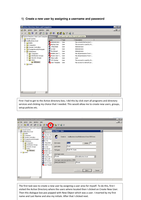
1) Create a new user by assigning a username and password 2) Set authorization permissions for the user to access a shared drive or folder on the network 3) Grant the user with Read, Write and Execute access controls to the shared drive or folder 4) Set the shared drive or folder to be backed up Mon‐Fri at 5pm 5) Delete and then restore the folder from the last available back‐up 6) Encrypt the data stored in the shared drive or folder so that it remains secure 7) Ensure that the server is kept in a secure and lockable room 8) Check that the server is installed with an up to date firewall and anti‐virus system
Show more
Read less
Institution
Module
Whoops, something went wrong.
Due to a technical error, we're unable to show you the document in the online viewer. Please try to download the file or get in touch with our support team.
Written for
- Study Level
- BTEC
- Examinator
- Pearson
- Subject
- Information Technology 2010 QCF
- Unit
- Unit 9 - Computer Networks
All documents for this subject (38)
Document information
- Uploaded on
- August 18, 2016
- Number of pages
- 13
- Written in
- 2015/2016
- Type
- Essay
- Professor(s)
- Unknown
- Grade
- Pass
Subjects
-
national diploma
-
level 3
-
unit 9
-
presentation
-
free work
-
college
-
computer networks
-
free
-
work
-
table
-
presentation
-
document
-
it
£3.59
Get access to the full document:

100% satisfaction guarantee
Immediately available after payment
Both online and in PDF
No strings attached
Also available in package deal
Package deal
IT BTEC Level 3 ALL UNITS
71
68
2017
£ 330.07
More info
